“Touch-first” is our own expression, so it is worth explaining what we mean by it.
Most software is written for someone sitting at a desk, using a mouse and keyboard. That is fine for many tasks, but it is not the same as standing at a large touchscreen display with other people around the table, looking at the same drawing.
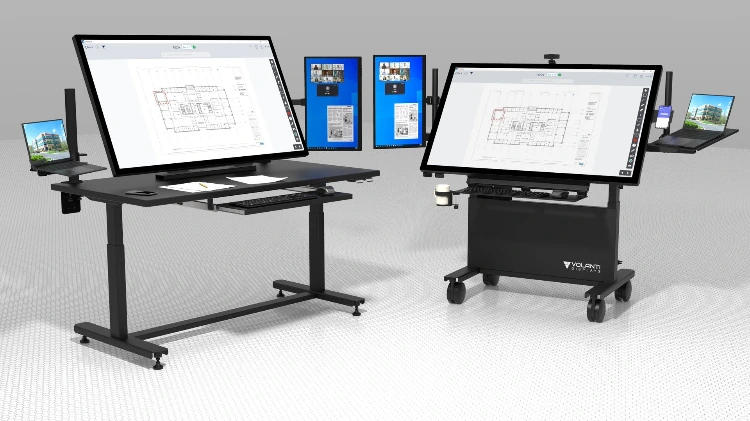
Volanti displays are often used in exactly that setting: plan review meetings, coordination sessions, estimating discussions, design reviews, jobsite offices, and other situations where the drawing needs to be seen, touched, discussed, and marked up by the people in the room.
That is the context for the Volanti Plan Viewer, our initial touch-first app.
We wanted a straightforward, easy-to-use PDF plan viewer and markup app that feels natural on a Volanti touchscreen. Not a general-purpose desktop application that happens to accept touch input, but an app written with large interactive displays in mind.
That affects the design.
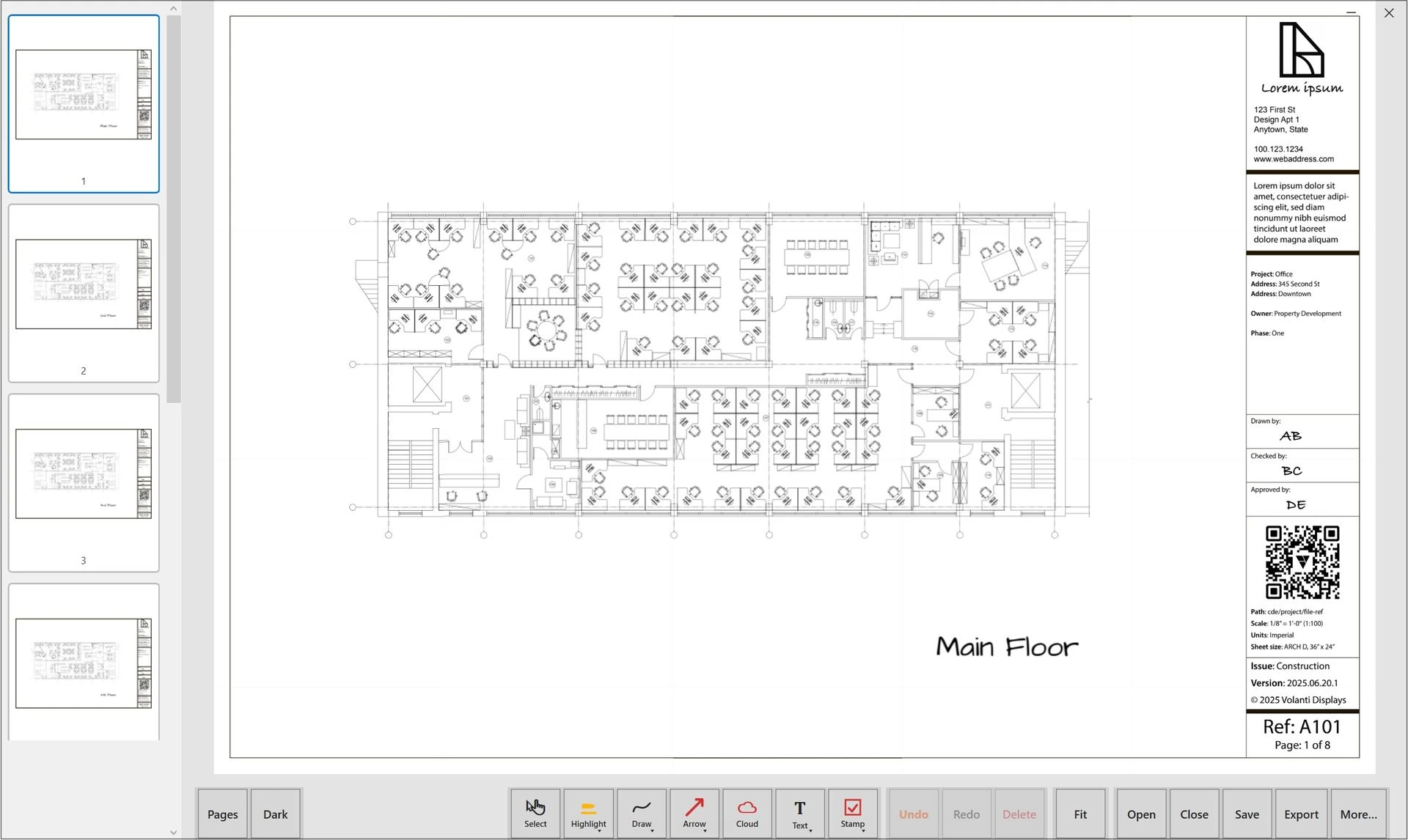
The main tools sit in a bottom toolbar, where they are easy to reach on a touchscreen. The user can open a PDF, pan and zoom around the drawing, add highlights, freehand notes, arrows, revision clouds, text, and stamps, then save or export the marked-up plan.
The app also supports touch gestures such as one-finger drag to pan and two-finger pinch to zoom, which matters when the display itself is the working surface. For more precise markup, a stylus works well, especially on Volanti displays that support palm rejection, allowing the user to rest a hand on the glass while writing or marking up the plan.
In those meetings, the value is not just that the plan is digital. The value is that everyone can gather around the same full-size visual reference. A superintendent can point to an issue. A project manager can mark an action. A subcontractor can see the exact location being discussed. The group can work from the same drawing instead of each person looking down at a laptop or printed sheet.
That is where large touchscreens make sense.
The Plan Viewer is not intended to replace other construction software platform. People will still use Bluebeam, Procore, Autodesk tools, Acrobat, and other applications as part of their normal workflow. The purpose of the Volanti Plan Viewer is more focused: to provide a straightforward touch-based way to view, navigate, mark up, save, print, and export plans on a large Volanti display.
In other words, “touch-first” means the software starts with the display and the way people use it.
For Volanti, that means large 4K touchscreens used by people standing, reviewing, discussing, and making decisions together. The app helps the hardware do what the industry needs it to do: make digital plans more visible, more usable, and more collaborative.
For more information on this, visit our Plan Viewer page.