Transferring plans between digital and print can slow down workflows and cause version confusion on construction projects. One simple solution that's gaining popularity is embedding QR codes directly into the title blocks of your plans.
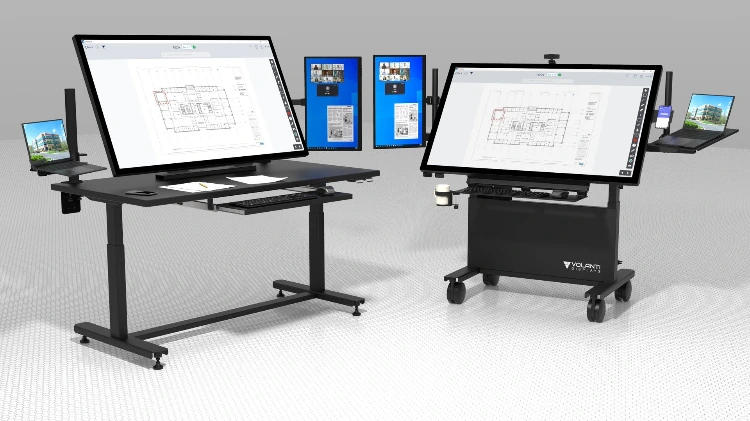
By including a small QR code linking to the authoritative PDF in your Common Data Environment (CDE), you create an instant digital passport for each plan. Whether you're using Volanti’s Plan Review Table, mobile devices, or printed sheets, scanning the QR code instantly retrieves the correct, most current version of your drawings.
How QR Codes Simplify Your Plan Management:
- Instant Digital Access: Quickly transfer plans from Volanti’s digital display tables to mobile devices or back again.
- One Source of Truth: Eliminate confusion over drawing revisions—everyone accesses the same authoritative version.
- Efficient Workflow: Speed up navigation by bypassing folder searches; simply scan and open directly.
- Hardware-Free Convenience: Any smartphone or USB scanner can read QR codes natively, providing easy access on-site and in the office.
Best Practices for Implementation:
- Permanent Links: Ensure QR codes point to stable document URLs within your CDE.
- Optimal Size: Use a 1" square QR code for clear printing on D-size sheets without crowding the title block.
- Clear Labeling: Include brief instructions such as "Scan for digital copy" to guide new users.
- Security Considerations: For confidential plans, use authentication gateways or token-based access for QR links.
This practical approach provides seamless, secure, and efficient management of your construction drawings.
Once your drawings carry QR codes, a QR scanner bracket on a Volanti plan review table lets you scan a printed sheet and open the same drawing on the display. See the full range of Volanti plan review displays, or get in touch for a quote.
Originally published on Plan Workflow.