The Redline: Plan Review & Reducing Rework in AEC Projects
Understand how redlines move through the full plan workflow...
...and where better plan review environments can cut costly rework.
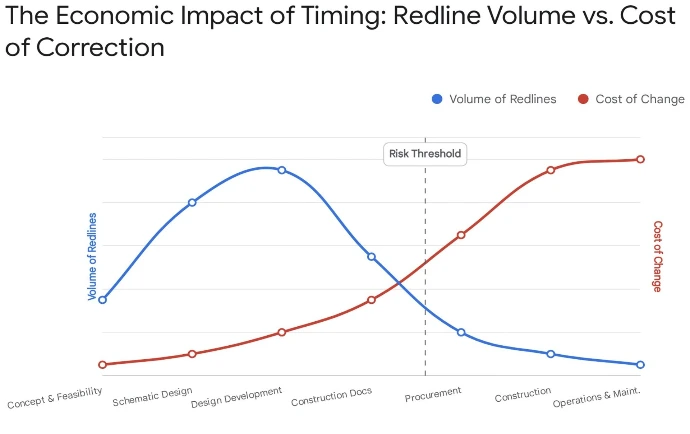
In today’s AEC projects, a single missed markup can ripple into thousands of dollars in rework, delays, and disputes. This in‑depth guide (download link below) maps the “life of the redline” from early design through construction and operations, showing how plan review practices, drawing types, and responsibilities change at each stage. It is written for architects, contractors, and owners who want clearer workflows, fewer surprises on site, and better project outcomes.
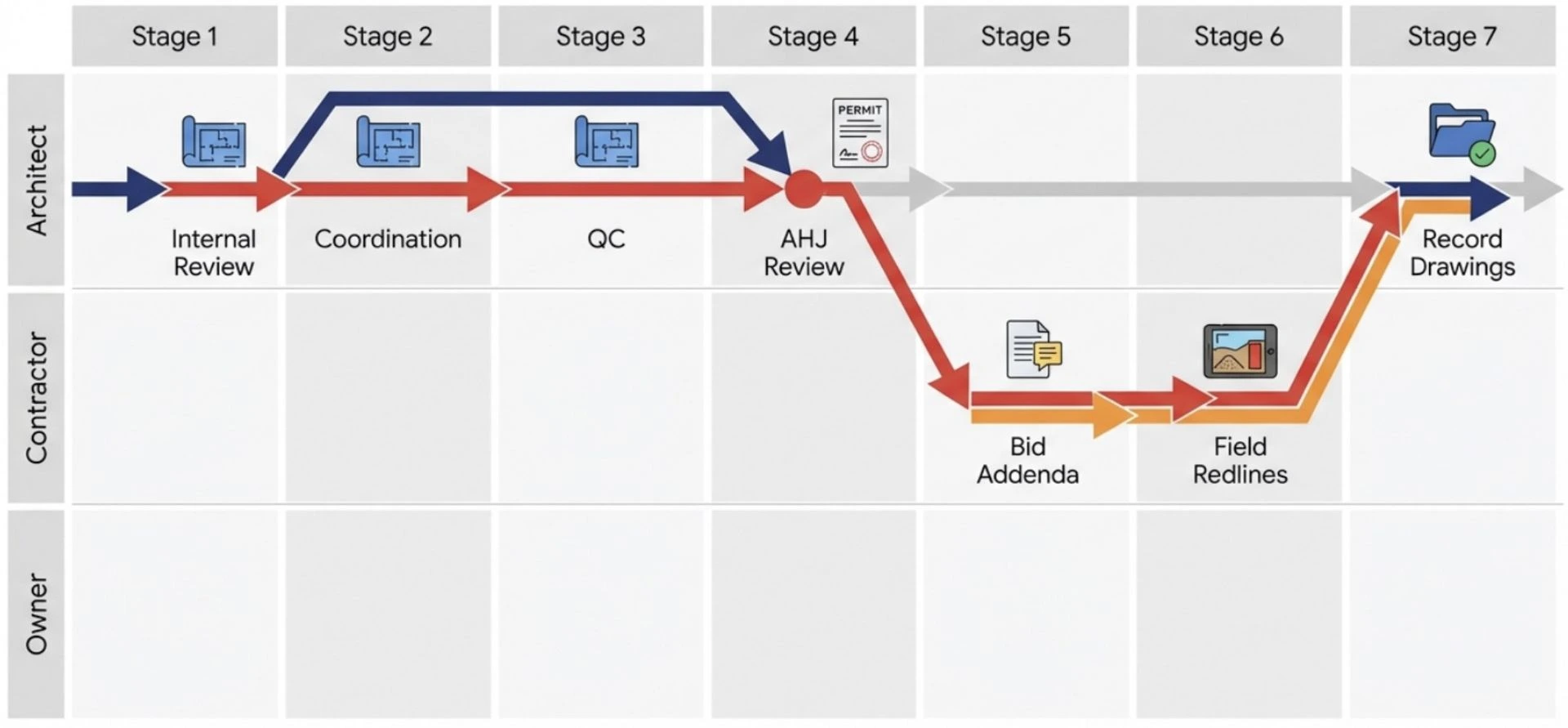
What This Guide Is About...
- How redlines, as‑builts, and record drawings actually differ, and why the distinctions matter for risk, liability, and project closeout.
- Who redlines what (and when) across seven stages, from concept design and schematic review to RFIs, field redlines, and facility management.
- Where miscommunication and version control most often fail, leading directly to avoidable change orders and rework.
- How modern digital platforms, common data environments, and large‑format plan review touchscreens change the redline workflow.
- Practical opportunities to tighten QA/QC, support field teams, and keep everyone working from the current set.
This guide is designed for...
- Architecture and engineering teams responsible for document quality and coordination.
- General contractors and subcontractors managing submittals, RFIs, and field redlines.
- Owners and facility managers who rely on accurate record sets throughout the building’s life.
Contents
- Executive summary of redlining’s role in plan review and rework.
- Stage‑by‑stage walkthrough of the Plan Workflow with “who / when / why” analysis.
- Roles & responsibilities matrix covering architects, engineers, contractors, AHJs, and owners.
- Discussion of QA/QC, risk management, and cognitive load in drawing reviews.
- Look ahead at cloud‑based redlining, clash detection, and large‑format digital plan tables.
See the free download link in the Next Steps below...
Find the Right Display for You
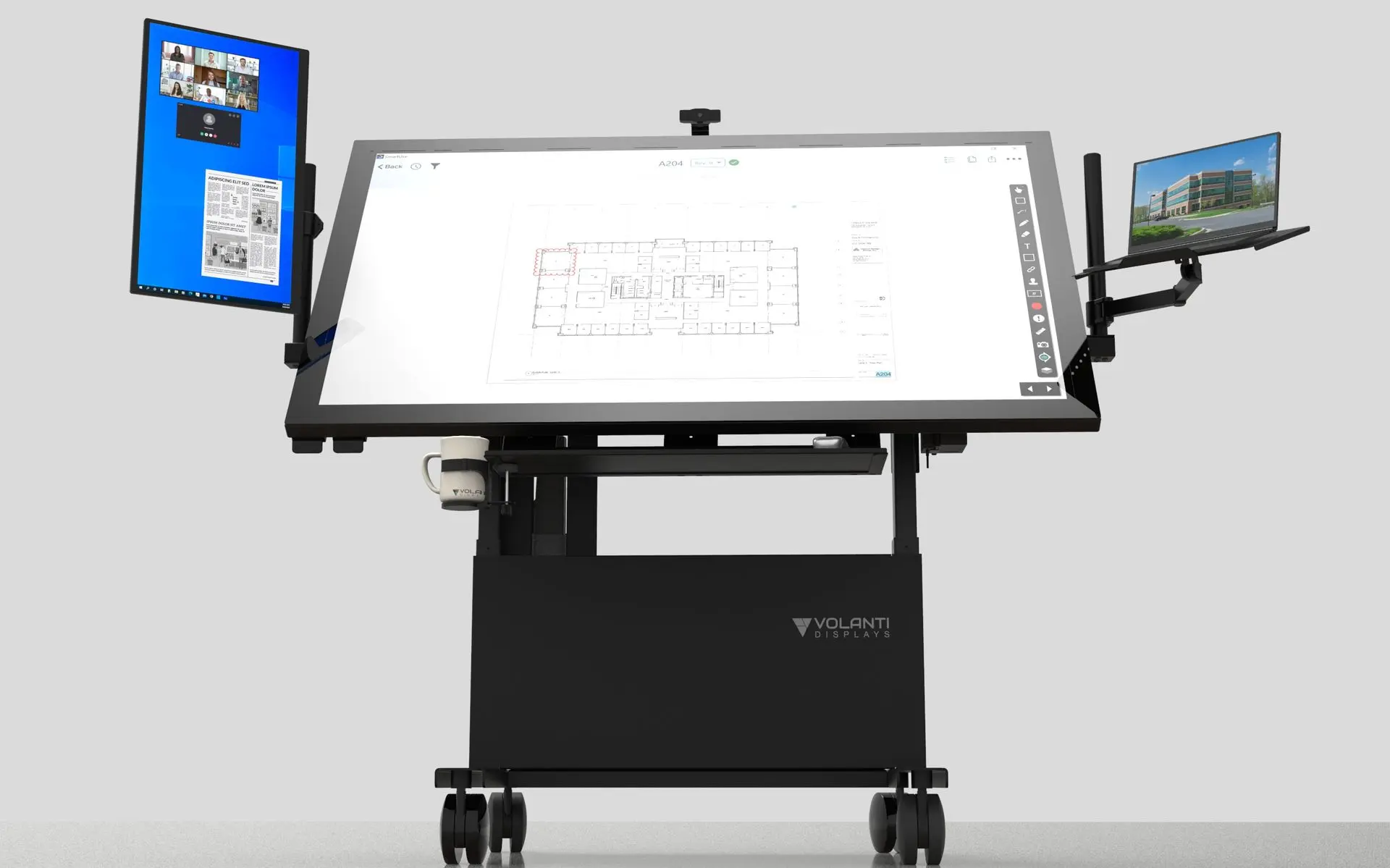
Jobsite Plan Review Table
A full‑size tilt‑adjustable touchscreen plan table for high‑engagement coordination sessions. Perfect for larger trailers, war rooms, and project offices where teams gather around one shared view of drawings, models, and schedules.
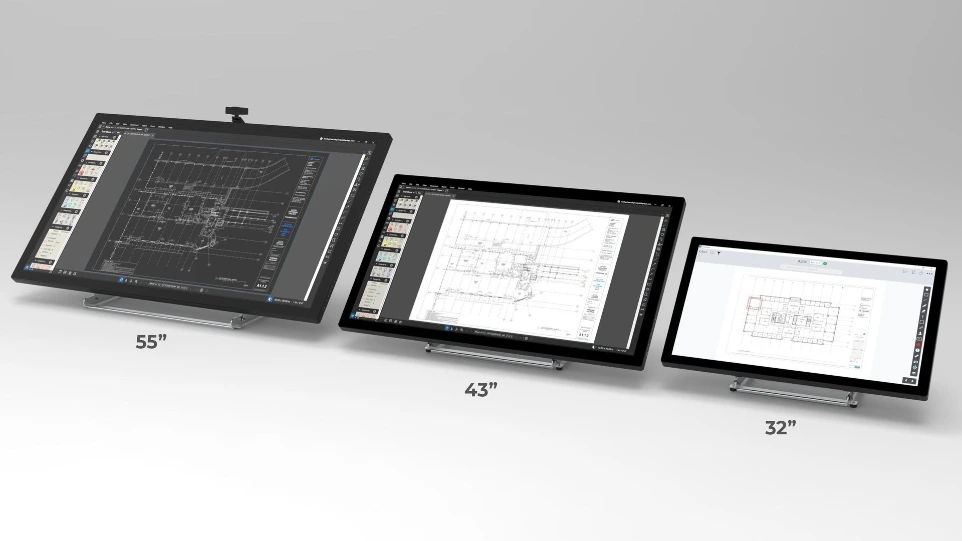
Jobsite Tabletop Plan Display
The Plan Review Tabletop delivers a large 4K touchscreen in a compact footprint that fits standard trailer desks and worktables. It is easy to install, easy to relocate, and ideal for daily huddles, RFIs, and drawing review in jobsite spaces.
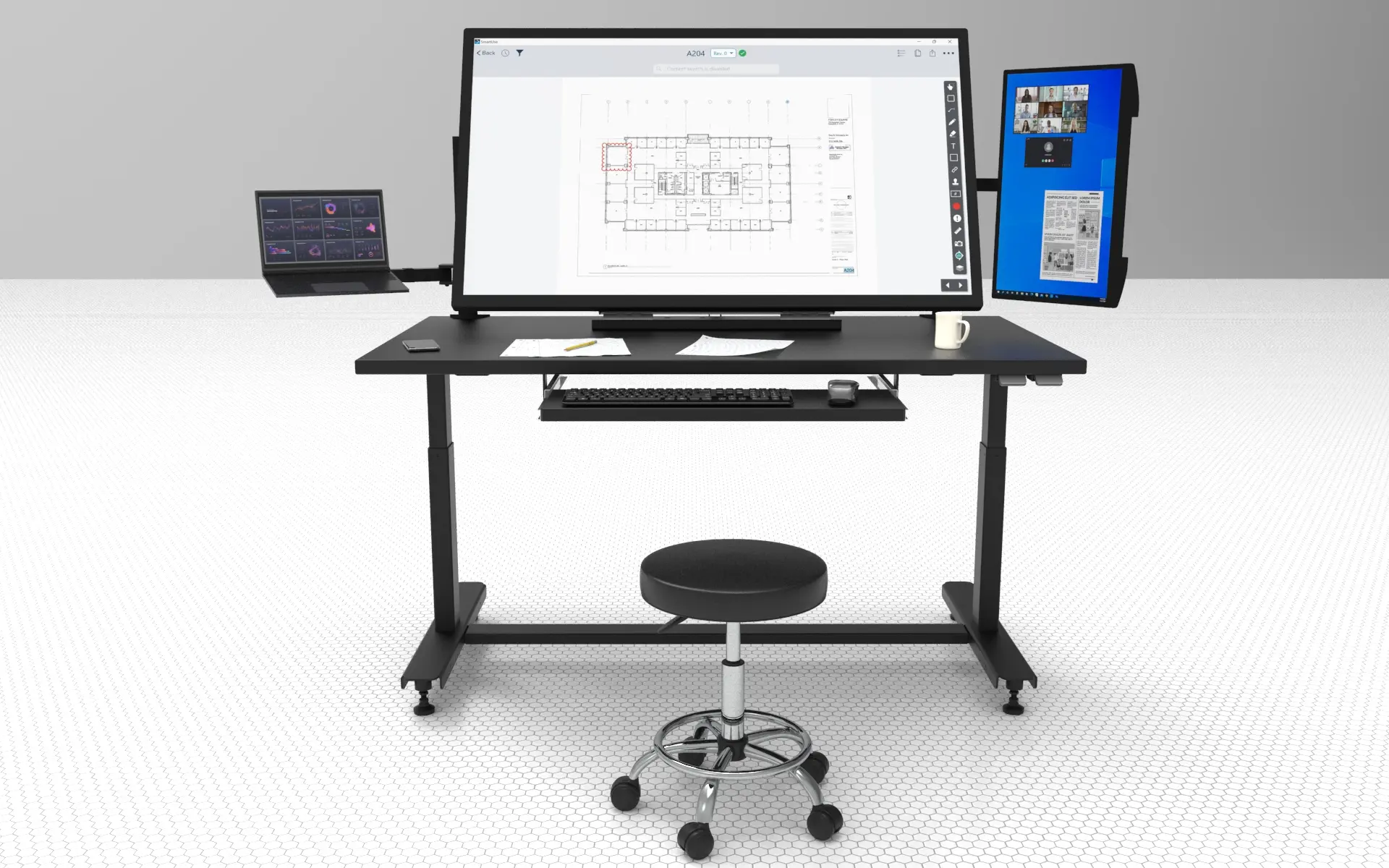
Plan Review Desk
sit‑stand workstation with an integrated touchscreen for supers, project engineers, and coordinators who need a dedicated digital plan station. Keep drawings, RFIs, and dashboards at your fingertips all day while still stepping over to collaborate at the Tabletop or Table.
Redlining Report FAQ
We originally ran this report as part of our internal process to better understand the workflows of the plan from concept to completion. It is purely informational.
We map the redlining process across the entire 7 stage construction workflow together with who/when/why explanations.
Yes. See below to download.
Next Steps
Download the report for free...
Download Volanti Redlining Guide
Contact Volanti to discuss the right Plan Touchscreen for you